How to Upgrade to SAFe 6.0 in Five Steps

Updated January 9, 2025

Last month, we introduced SAFe® 6.0, a new version of SAFe. 

What does this mean for your SAFe certifications? 

It’s simple. You can upgrade your SAFe certifications in five easy steps (including showing off your new certification badge). In this blog, we’ll help you understand the following:

  • What is the SAFe 6.0 upgrade?
  • Why should you complete the SAFe 6.0 upgrade?
  • How to complete the SAFe 6.0 upgrade

What Is the SAFe® 6.0 Upgrade?

The SAFe 6.0 upgrade is a self-paced online learning series that transitions your certifications from SAFe 5 to SAFe 6.0. In the upgrade, you’ll cover five modules highlighting the critical information you need to work effectively in a SAFe 6.0 environment.
SAFe 6.0 Upgrade

These five modules include:

  • The SAFe 6.0 Big Picture and Terminology 
  • Lean-Agile Mindset, Core Values, and Principles
  • Accelerating Value Flow
  • Empowering Teams and Clarifying Responsibilities
  • SAFe® Studio

It takes about an hour and a half to complete the upgrade.

If you’re a SAFe® Practice Consultant (SPC), you’re required to take the following three additional modules and pass a 20-question quiz:

  • The SPC Role in 6.0
  • The Implementation Roadmap
  • Measure and Grow

This SPC expert upgrade takes about two hours to complete.

Each module comprises videos, reading material, and activities to help you understand what’s new in SAFe 6.0 and how it impacts your daily work. 

You’ll also find links to relevant updated Framework articles and other important material at the end of each module. These are found in the “Next Steps” section.

You can select which language you’d like to complete the upgrade in. Currently, we have English and Japanese available, with more language options coming soon.

Why Should You Complete the SAFe 6.0 Upgrade?

In addition to a shiny new badge (or badges, since all your badges get upgraded at once), the SAFe 6.0 upgrade gives you the knowledge to apply SAFe 6.0 concepts to your organization, teach SAFe 6.0 courses, and thrive in a digital age that includes new concepts like AI, Big Data, and Cloud.

Coach your teams and ARTs on how to apply new role guidance and new concepts like flow, all while working differently in a SAFe 6.0 environment. 

With SAFe 6.0 guidance and the resources to learn, practice, and manage your transformation within SAFe® Studio, you can achieve the business agility and resiliency needed to win in the digital age.

Also, did we mention the upgrade is free for all members?

Need more convincing? Hear why I think you should complete the SAFe 6.0 upgrade.

How to Complete the SAFe 6.0 Upgrade

Screenshot of SAFe 6.0 upgrade homepage in SAFe® Studio
The SAFe 6.0 upgrade homepage in SAFe® Studio

This section will walk you through the SAFe 6.0 upgrade steps. Prefer a video format? See the steps in action in this video.

Step 1 | Log into SAFe® Studio

To start, you need to log into SAFe® Studio. Once logged in, you’ll see a SAFe 6.0 upgrade banner at the top of the page. Click on the banner or you can follow this direct link to the upgrade page. 

Step 2 | Add the upgrade to your learning plan

Once you click “Get Started” on the SAFe 6.0 upgrade page, it will take you to My Learning. Completing this step means you’ve successfully added the SAFe 6.0 upgrade to your learning plan. You can now come back to it at any time and pick up where you left off. 

Update: you can now select a language for your upgrade. If you’d like a different language than English, scroll to the section titled “SAFe 6.0 Upgrade Options.” You can then choose your preferred language by clicking on the corresponding button for the upgrade.

Step 3 | Start the SAFe 6.0 upgrade online learning series

The certified member upgrade learning series takes about one hour and 45 minutes to complete. The expert upgrade for SPCs takes about two hours. Each module takes about 10 – 15 minutes to complete and is a combination of written material, videos, and required activities. 

The online learning series is self-paced, meaning you can start and stop on your own time. If you prefer to break it up and complete one module per day, you’ll be done in a week (a little less than two if you’re an SPC). You have the flexibility to adjust the upgrade timeline to your schedule.

Once you’re ready to begin, click “Launch” to the right of the first module name (Welcome to the SAFe 6.0 Upgrade). The online learning series will then launch within the same window. 

Step 4 | Update your certifications and digital badges

Once you’ve completed all the modules, your active SAFe 5 certifications will automatically update to SAFe 6.0.

If you opt in for digital badges, you’ll receive SAFe 6.0 digital badges that you can share on digital platforms. Learn how to opt in to receive digital badges here.

Step 5 | Share your achievement on social media
Join in the SAFe 6.0 upgrade fun on LinkedIn

Don’t forget to share your new digital badge on your LinkedIn, Twitter, or any other social media profiles! Share your achievement with the online SAFe community using the hashtag #SAFe6Upgrade.

SAFe 6.0 Upgrade FAQs

How do I upgrade to 6.0 if I have an older certification?

For SAFe 5 certifications, all that needs to be done is the SAFe 6.0 Upgrade (or SAFe 6.0 Expert Upgrade for SPC(T) certifications).

If your certification is Version 4 or older, you must take a SAFe 6.0 course and pass the associated exam.

Is there a cost associated with upgrading to SAFe 6.0?

The SAFe 6.0 Upgrade is included, at no additional cost, with every SAFe membership. 

If your membership needs renewal, you can follow the instructions here.

If I upgrade to SAFe 6.0, do I still get to keep my SAFe 5 certifications?

Yes. Your SAFe 5 certifications will remain valid and in good standing, and the upgrade will award you brand-new SAFe 6 Certifications.

As an SPCT or SPC, does upgrading to SAFe 6.0 upgrade all of my active certifications?

Yes. Completing the SAFe 6.0 expert upgrade learning plan and quiz will upgrade your SPC(T) and all other certifications you hold.

Have more questions? Check out our SAFe 6.0 Upgrade FAQs.

There you have it—five easy steps for upgrading to SAFe 6.0. As Beyonce says (or should have said), let us upgrade you to SAFe 6.0.
Start your SAFe 6.0 upgrade today

Get the Upgrade

About Tamara Nation

Tamara Nation - product management at Scaled Agile

As VP of the Professionals Business Segment at Scaled Agile, Inc., Tamara is a results-driven servant leader with a proven track record of motivating high-performing teams to deliver positive outcomes in complex environments. She collaborates with her team of senior product managers and other stakeholders to identify and define customer needs and understand customer and market dynamics to develop product vision, roadmap, and features to bring to market. Find Tamara on LinkedIn.
The SAFe Community Platform Is Now Part of SAFe Studio: Here’s What’s New

This month, we introduced the latest version of SAFe® and a new way to connect with the SAFe community. SAFe 6.0 is the newest Framework version, and it includes a new Big Picture, courseware, assets, and an upgrade for most SAFe roles. 

But our launch included more than a new version of SAFe. We also released SAFe® Studio, which has replaced the SAFe Community Platform. You can read more about the full 2023 March Launch on our release notes page. 

In this blog, we’ll focus on SAFe® Studio. 

SAFe® Studio makes it easier to manage your transformation in one place. We like to say that SAFe® Studio “brings the Framework to life” and helps to unlock the Agile potential in each person, team, and enterprise. The tools, guidance, community, and courses are now in a single platform, and we’re still working hard to contextualize this content for every role and language. 

Don’t just take our word for it; here’s some early feedback. 

In this blog, we’ll discuss

If you only want to see what’s new in SAFe® Studio, jump to that section from the above table of contents. 

We recommend reading from start to finish if you’re new to SAFe and want to understand why this change matters and what the buzz is about.

SAFe® Studio, the New Way to Access the SAFe Community Platform

Since 2016, the SAFe Community Platform was how everyone accessed SAFe learning assets, course materials, and the SAFe community. 

The SAFe Community Platform is now part of SAFe® Studio. This new platform is the core of a simpler, unified experience for users throughout the SAFe ecosystem.

Read the SAFe Studio brief now

What is SAFe® Studio?

SAFe® Studio houses all of the new SAFe 6.0 assets. It’s your one-stop shop for accessing everything you need to learn, practice, and manage SAFe daily. 

Our new platform includes:

  • All the information for your upcoming courses in one place and an easy way to manage your current certifications
  • A range of content, from bite-size for daily learning to more in-depth for establishing SAFe in your organization. This includes all content previously accessible on the SAFe Community Platform. 
  • The tools you need to make the transformation stick, from value-stream mapping workshops to PI Planning templates
  • A community of SAFe professionals and partners available to support your transformation

Why the change to SAFe® Studio?

Managing organizational change is hard. It involves translation, change management, and maintenance of many moving parts. And it’s even harder when you have to look for resources in multiple places or create your own. This is where SAFe® Studio comes in.

SAFe® Studio is the evolution of our platform for learning, practicing, and managing SAFe.

We built SAFe® Studio with the enterprise in mind, but also knowing that individuals make change stick. Our goal is to give people in every role the tools and knowledge needed for meaningful growth and a different approach to work.

With everything now in one place, managing organizational change is easier with SAFe® Studio.

What’s New in SAFe® Studio?

Here’s what you can access in SAFe® Studio today. Our product roadmap is packed with planned updates, so stay tuned for future announcements.

If you want a quick overview of what’s new, watch this video or complete this quick online learning.

A reimagined design

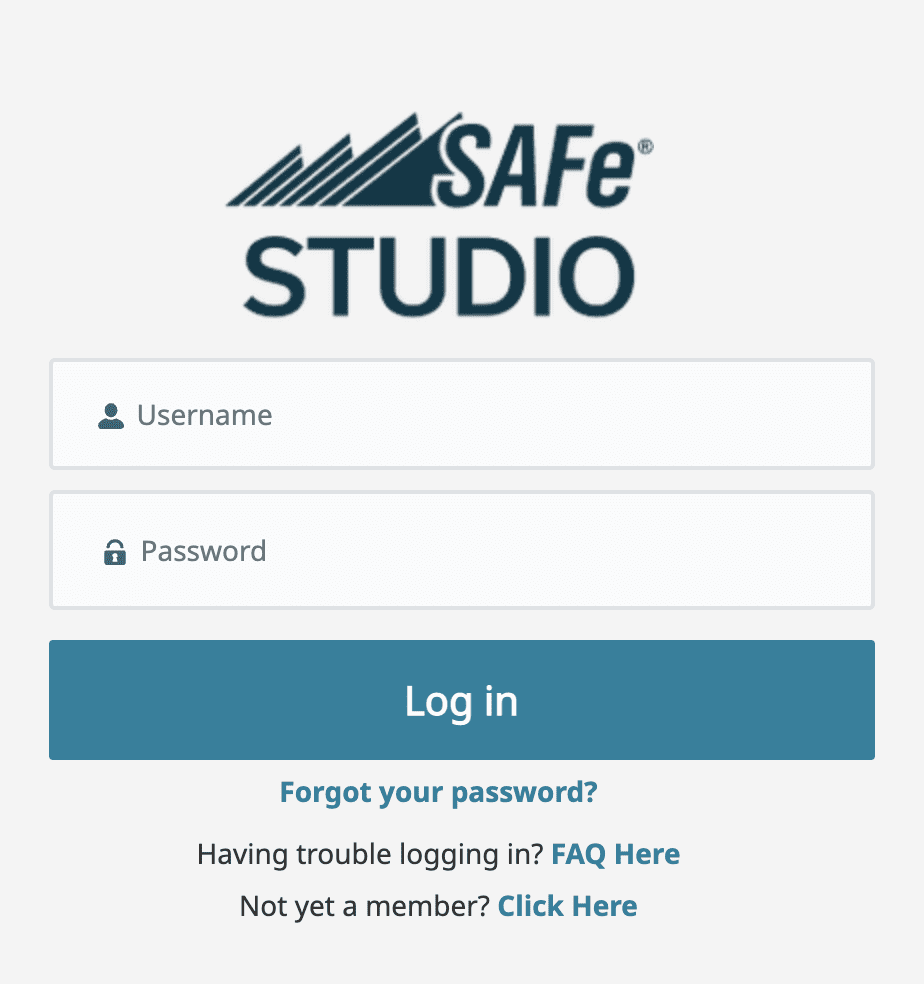
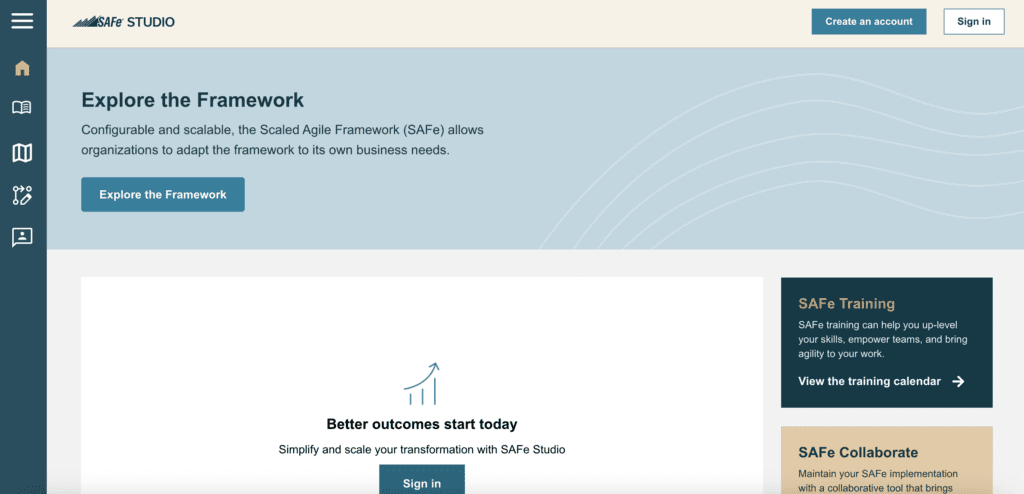
SAFe® Studio has a brand-new look and feel. It’s a fully updated design and user experience from the previous SAFe Community Platform. The updates start with the login page, but you’ll notice a similar design throughout the platform. We’ve updated the color palette to match our new brand colors. And we’ve made it a more seamless and cohesive experience to move from our different Scaled Agile websites to the platform.

Unauthenticated login page screenshot

The unauthenticated experience

Before you even log into SAFe® Studio, you have options to engage with our content from a central location. 

The unauthenticated homepage includes direct links to the Scaled Agile Framework website, training calendar, SAFe Summit content, and the What’s New section. The What’s New section includes all new content from across Scaled Agile’s web properties.

Login page screenshot

Login

Starting with the login screen, you’ll see the new overall look and feel reflected through the color palette, fonts, and platform logo.


Navigation

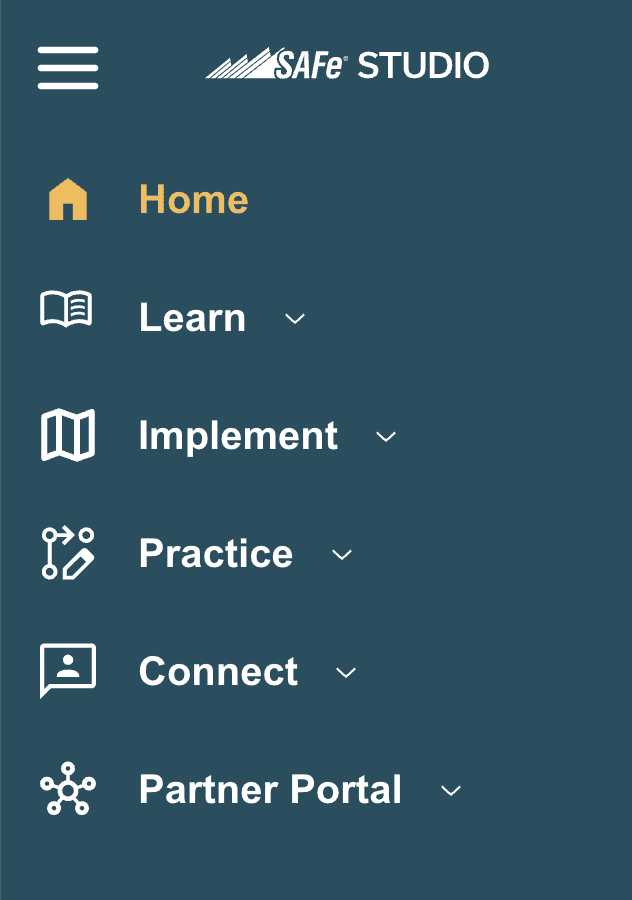
The navigation bar now lives on the left side of the SAFe® Studio home screen. The intuitive design highlights specific sections for learning, implementing, practicing, and connecting. It also includes the Partner Portal.

Navigation menu screenshot
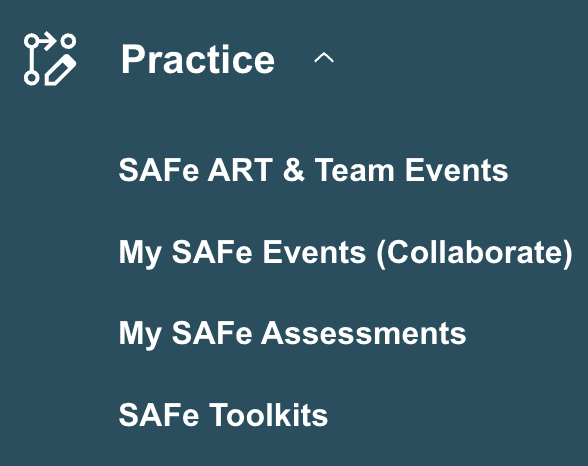
Practice menu screenshot

If you’re wondering where previous sections went, don’t worry. You can find them in new locations:

  • The Measure and Grow section is now under Practice, and it has a new title: My SAFe Assessments
  • SAFe Collaborate is also under a new name in the Practice section: My SAFe Events 

It’s never been easier to find what you need for daily practice.

Quick Links

After logging in, you’ll note a refreshed and rearranged layout from the old SAFe Community Platform experience. The SAFe® Studio homepage is now your launchpad for finding content, tools, and resources. 

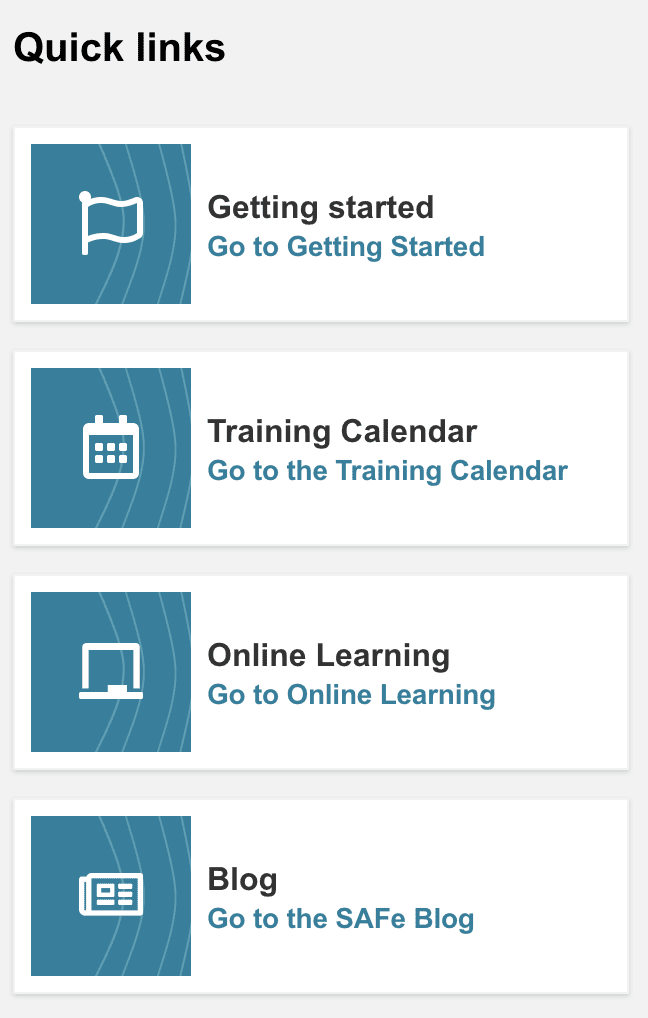
For starters, the Quick Links section gives you easy access to our most popular resources, including the Scaled Agile Framework website.

Quick links section screenshot
Screenshot of Recommended section on the homepage

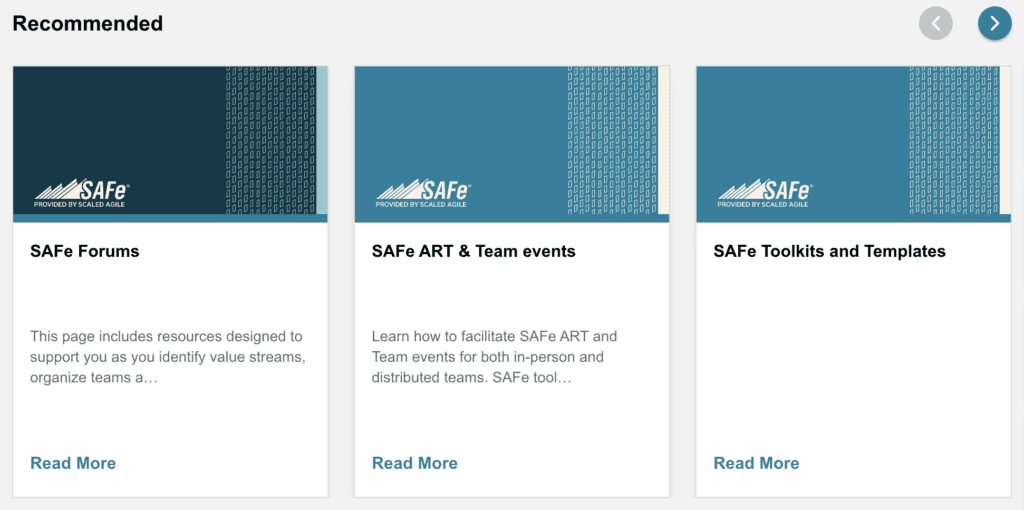
Recommended content

Next, you’ll notice a new section labeled “Recommended Content.” This area shows curated content based on your role. The Recommended section is why it’s more important than ever to keep your role in SAFe® Studio updated. An up-to-date role in SAFe® Studio ensures we recommend the best content for you in this section.

Curated content from across Scaled Agile web platforms

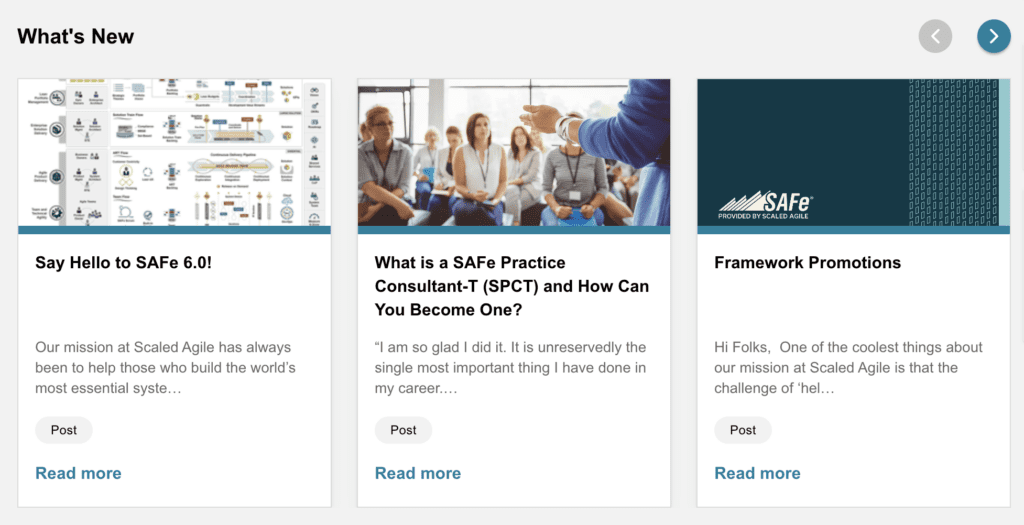
The What’s New section shows you the latest content from across all our websites. 

Find content from scaledagile.com, scaledagileframework.com, and SAFe® Studio displayed right on your homepage. You can even peruse by content type, from posts to videos. 

Screenshot of What's New section on the SAFe Studio homepage

You’ll see curated content from across all websites throughout SAFe® Studio, meaning you no longer have to visit each site individually to find the resource you’re looking for.

Screenshot of how to access Achievements and Certifications from the SAFe Studio homepage

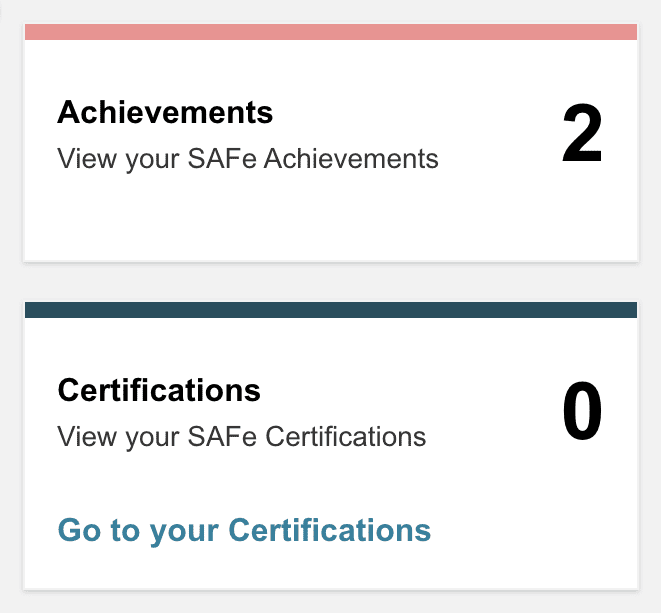
Achievements and certifications
Quickly access your achievements and certifications at any time from the bottom right corner of the SAFe® Studio homepage. Users can earn achievements from taking classes or completing learning in the My Learning section of SAFe® Studio.

Learn section

The first section in SAFe® Studio after the homepage is the Learn section. You can find links to the Framework, learning plans, courses, customer stories, and the SAFe Glossary here. 

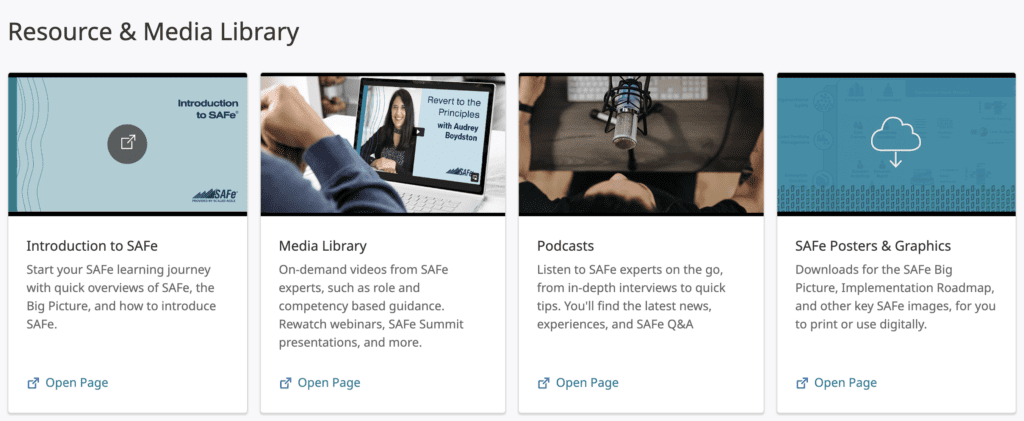
Resource and Media Library screenshot

In addition, we’ve created a Resource and Media Library section where you can find everything from our collection of videos and podcasts to previous SAFe Summit content and recommended reading. 

This is where you’ll find all of the resources, both new and old, you need to learn SAFe.

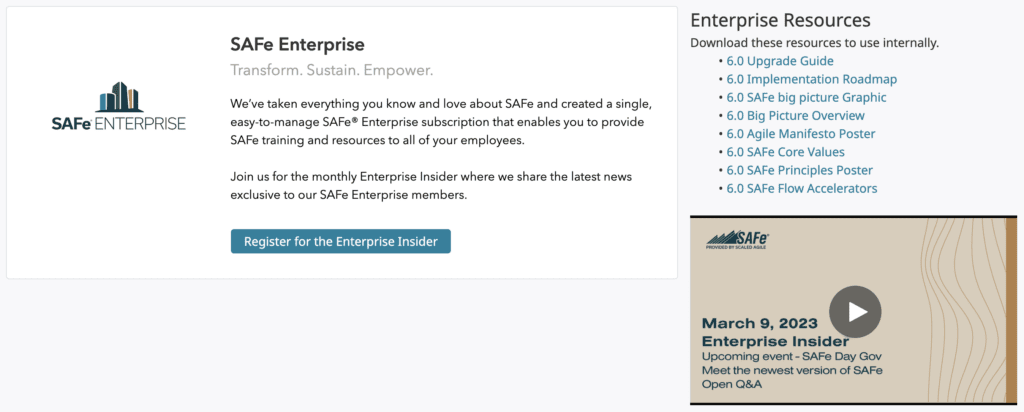
Screenshot of the SAFe Enterprise page in SAFe Studio

Refreshed SAFe Enterprise section

SAFe Enterprise subscribers can access curated content, from webinars to information sheets to relevant blog posts and resources to use within your enterprises.

Updated SAFe 6.0 resources

We’ve updated many of our resources to new SAFe 6.0 guidance and language. These are in their applicable sections and on the SAFe Toolkits page under the Practice dropdown.

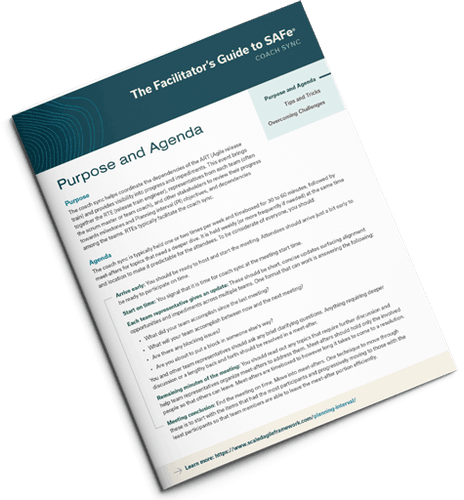
An example of an updated SAFe 6.0 resource - the Facilitator's Guide to SAFe

Why join SAFe® Studio?

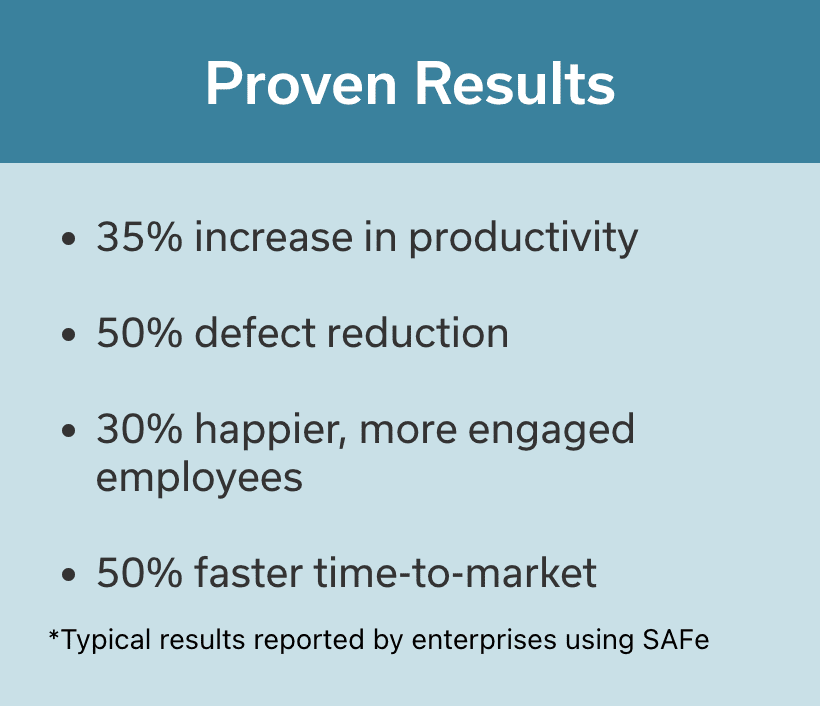
Proven Results
- 35% increase in productivity
- 50% defect reduction
- 30% happier, more engaged employees
- 50% faster time-to-market
*Typical results reported by enterprises using SAFe

We built SAFe® Studio to help everyone succeed in their transformation role. 

For transformation leaders:

  • SAFe® Studio will expand with your transformation because we built it for enterprises like yours
  • Curate the content your transformation members digest with customizable enterprise playlists
  • Engage transformation members with gamification

For SAFe professionals:

  • Easily find everything you need to succeed in your current role and prepare for your next one
  • Get daily SAFe guidance and recommendations based not only on your role but also your enterprise context and learning or practice behavior with a new user interface
  • Earn points for engaging with your organization’s transformation
  • Consume helpful and specific SAFe content that your coaches and LACE leaders have selected for you
  • Quickly see your current certification level to ensure you stay up-to-date

For coaches:

  • Tailor SAFe content to your organization’s needs with customizable enterprise playlists
  • Quickly find training materials, course information, and digestible content you can share with your learners

How do I join SAFe® Studio?

You can join SAFe® Studio one of three ways.

For the individual:

You can purchase a foundational membership, which includes virtual classrooms, learning plans, practice assets, role-based content, self-paced online learning (including SAFe Jumpstart), and enterprise collaboration tools in addition to SAFe® Studio access. 

For the course participant:

When you attend a SAFe course, you also get access to SAFe® Studio for 12 months after your first class. 

For the enterprise:

When your organization purchases a SAFe Enterprise Subscription, organization members can access SAFe® Studio. Administrators also get access to assign and track the transformation. In addition, the organization receives unlimited access to trainer-led courses.

SAFe® Studio FAQs

What’s the difference between SAFe, the Framework, and SAFe® Studio?

SAFe is our full solution brand, including the Scaled Agile Framework, SAFe® Studio, the partner program, and the community of SAFe professionals.

The Framework represents the intellectual property (IP)—the ideas—that underpin all guidance we offer.  

We deliver that guidance through versioned releases in updated articles, courses, downloadable assets, online learning, instructional videos, and more.  

SAFe 6.0 represents the newest version of the Framework, along with all its associated materials. Users can access that guidance through SAFe® Studio.

What Does SAFe® Studio Include?

SAFe® Studio gives you access to courses so you can train teams on SAFe principles, roles, and practices. This material includes:

  • Easily-digestible content and practical takeaways for every role
  • Curated, localized learning experiences and exams
  • Training for all levels from beginner to expert

SAFe® Studio also gives you the tools to build momentum by putting training into practice, like:

  • Online Agile assessments
  • Collaborative tools for planning and practicing SAFe events
  • Role-specific resources for daily work

Finally, SAFe® Studio connects you with a community of over 400,000 practitioners to help you empower your teams.

  • Connect with SAFe experts, Agile coaches, and practitioners globally
  • Join forums and peer discussions on best practices
  • Access the latest media from SAFe Summits and other high-value events

How is SAFe® Studio different than the SAFe Community Platform?

SAFe® Studio is now the unified platform for learning, practicing, and managing SAFe. Finding what you need when practicing SAFe daily is easier in the new platform. It also has a more intuitive and seamless interface than the previous platform. 

SAFe® Studio includes elements from the Community Platform but also incorporates Collaborate, Measure and Grow surveys, and the Framework itself to further assist learners, leaders, and change agents in driving successful organizational change.

For answers to other questions, check out our SAFe® Studio FAQs.  

Log into SAFe® Studio to start experiencing these new updates yourself. And don’t forget to set your role, so you receive role-specific content.

Get daily guidance to drive successful change in your organization
Log in Now

About Alysa Kirkpatrick

Blog author Alysa Kirkpatrick headshot

Alysa Kirkpatrick is a Product Management Director at Scaled Agile, Inc., with fortune 500 and multi-industry experience. She has expertise in all stages of Agile Scrum/Kanban project lifecycle and digital transformation and has worked with cross-functional teams and business units.

Connect with Alysa on LinkedIn

What Is a SAFe Practice Consultant-T (SPCT) and How Can You Become One?

SAFe Program Consultant Trainer

“I am so glad I did it. It is unreservedly the single most important thing I have done in my career. If you are a seasoned professional with a commitment to lifelong learning and are wondering what your next career move might be, I highly recommend you take a look at the SPCT program.”

 —Michael Casey, SPCT, Agile Big Picture

As more organizations engage with SAFe®, it’s even more critical that we have knowledgeable, experienced SAFe leaders to help transform large enterprises and continue to shape the way SAFe is being implemented. If you have deep SAFe knowledge, are a lifelong learner, are SAFe Practice Consultant (SPC)-certified, and excel in training and coaching, I invite you to consider becoming a SAFe Practice Consultant-T (SPCT).

“As is the case with any certification, you should carefully evaluate SAFe instructors and consultants, and make sure that they have demonstrated experience that is relevant to the role you are asking them to take on. Do not rely on certifications alone as a measure of the skills of a consultant or prospective employee. A notable exception to this is the SAFe Program Consultant Trainer (SPCT) certification [now SAFe® Practice Consultant-T], which does require demonstrated experience with Agile, software development or product management, training and consulting. If you’re hiring someone who has [an] SPCT certification, you can be confident that they do have experience in these areas, as well as experience with SAFe implementation at multiple organizations. However, SPCTs are in short supply. As of February 2020, there are fewer than 100 people worldwide holding this certification.”

— Gartner, “A Technical Professional’s Guide to Successful Adoption of the Scaled Agile Framework (SAFe),” Kevin Matheny, Bill Holz, 13 April 2020

SPCTs are among the most highly regarded SAFe experts in the world. They are also the most sought-after SAFe Trainers, SAFe Trusted Advisors, and SAFe Transformation Architects among enterprises seeking to improve their methods of working and pursue business agility.

As transformation catalysts, SPCTs share their vast industry expertise and skills through teaching, coaching, and handling the most challenging SAFe implementations. And they are experts at communicating, consulting, and creating SAFe knowledge.

SPCT is the most advanced certification you can achieve with SAFe and can be career-changing through job advancement and new opportunities.

SPCT credentials bring the highest level of credibility, which opens doors for you and generates confidence within the organization that you’re helping to create the highest-quality SAFe implementation.

That said, you should know that our selection process has very high standards, and not everyone will get in. To be accepted into the program, you must not only meet the skills and experience prerequisites but have presence and gravitas. The requirements and expectations are slightly different for partners and enterprise employees.

Nominees must either be sponsored by a Gold Partner or an enterprise customer with a SAFe® Enterprise Subscription. However, both must be full-time employees of their respective organizations and are expected to have several years of experience in the tech industry, with five years of Lean-Agile experience and five years of software/systems/product experience.

Here’s how the process works:

  1. Get nominated: If you or someone you know would make a good candidate, request access to the SPCT portal by sending an email to spct@scaledagile.com. Through the portal, you can submit your documented accomplishments as you achieve them.
  2. Have an interview: After your nomination requirements have been reviewed and accepted, you’ll have two screening interviews with SPCT guides. Our team will then determine whether you’d be a good fit for the program.
  3. Attend Immersion Week: If you’re accepted, you’ll be invited to attend SPCT Immersion Week (currently, we hold three to four classes per year) where nominees showcase their knowledge, skills, and abilities in training and consulting with SAFe. You’ll also learn how to teach an Implementing SAFe® class and may even work on a class project that contributes to SAFe’s intellectual property.
  4. Complete field experience: After Immersion Week, you’ll need to complete additional certification requirements that include teaching SAFe classes, completing SAFe implementations, and finishing the required readings.
  5. Co-teach an Implementing SAFe® class: Lastly, you’ll participate in a pairing test by co-teaching an Implementing SAFe® class with one of our guides. During this class, we’ll evaluate your presentation, training, and coaching skills.

I believe becoming an SPCT is a valuable and rewarding career goal to aspire to—but I’m not the only one. Here’s what some of our SPCTs have to say:

“SPCTs are differentiated in the marketplace. The SPCT certification is rare and the knowledge and expertise it represents is valuable and much in demand.” 

—Simon Chesney, iSPCT, Western Digital Corporation

“Becoming an SPCT takes hard work, but it will pay you back many times over what you put into it in personal growth and career advancement. Get on board the SPCT program and you won’t look back!” 

—Michael Casey, SPCT, Agile Big Picture

I encourage you to explore what it takes to become an SPCT to see if this would be a good fit for you or someone you know.

Learn more by contacting spct@scaledagile.com.

About Adam Mattis

Adam Mattis headshot

Adam Mattis is a SAFe® Fellow and SAFe® Practice Consultant-Trainer (SPCT) at Scaled Agile with many years of experience overseeing SAFe implementations across various industries. He’s also an experienced transformation architect, engaging speaker, energetic trainer, and a regular contributor to the broader Lean-Agile and educational communities. Learn more about Adam at adammattis.com.

View all posts by Adam Mattis

Share:

Back to: All Blog Posts

Next: Scrum Master Stories: Resolving Conflict

Taking the Sting Out of Remote Teaching with Scaled Agile’s Virtual Classroom – SAFe Training

The backstory

Scaled Agile’s Virtual Classroom

Due to the global pandemic, almost overnight, we had to convert all 2020 SAFe® classes to virtual delivery. I’m most proud of how the worldwide SAFe community came together and experimented to figure out remote delivery. My contribution was to imagine the class experience and determine how to help instructors facilitate learning activities remotely. We came up with remote training aids which were simple slide templates for each activity that groups could collaborate indirectly. It was an early stage MVP in our journey to evolve remote learning.  

Remote was not for the faint of heart

As instructors, we had to figure out the tooling and how to set up those templates for the class. I remember when I remotely delivered new Lean Portfolio Management Alpha and Beta classes, it took me close to 30 hours to set up the activities and groups for each class. Delivering back-to-back classes, while good for our work, was exhausting because setup activities would bleed into our evenings and weekends. I could definitely understand why some SPCs were hesitant to venture into remote delivery.

The virtual classroom evolution

We kept experimenting with different formats and tools in class, and learning with each one how to make the experience better. We started to use SAFe® Collaborate, our cloud-based visual workspace, to standardize the activity templates. Early feedback was positive about the learning and ideation experience. But attendees still felt that having too many windows open was distracting and tedious, especially during activities with short timeboxes. For instructors, it took time to set up these templates for each group and class. And while we were able to automate a portion of the setup via script, that wasn’t the case for course updates. Instructors still had to revise class activities when Scaled Agile introduced a new class version.

During a hackathon at Scaled Agile, colleagues built an interactive virtual classroom prototype in SAFe Collaborate that solved the navigation and usability challenges. 

This hackathon idea won first place and got approved as a feature during our next PI Planning.  

Scaled Agile’s Virtual Classroom

Virtual classroom for the win

I recently taught my very first class using our virtual classroom, and it was such a wonderful experience. I’ve switched from being a sceptic to a fan because it’s so awesome! All the templates were indexed by lesson, well organized, and easily accessible for both students and teachers. Students could quickly navigate to their own group activity and even browse around to see what other groups were doing.

The learning experience was much richer and more fun for the students, especially when we got to the PI Planning simulation. The best part for me as an instructor? I could set up the class and groups with a single action! I simply showed up to class, clicked a button to designate the number of groups, and started teaching.

Lean Agile Centers of Excellence (LACEs) and SPCs that need to update templates with every course upgrade will score an even bigger win with the virtual classroom experience. Scaled Agile now provides the activity templates and automatically updates them when new course versions are released. This is a huge value and time saver. 

If you’re an SPC or a LACE member, I encourage you to try our virtual classroom in your next class. Just select “SAFe Virtual Classroom” as you set up your next remote class, and explore the different activities. Or, watch the remote trainer enablement video to see a demo.

If you’re like me, you’ll find it hard to go back!

About Deema Dajani

Deema Dajani is a Certified SAFe® Program Cons

Deema Dajani is a Certified SAFe® Program Consultant Trainer (SPCT).
Drawing on her successful startup background and an MBA from Kellogg Northwestern University, Deema helps large enterprises thrive through successful Agile transformations. Deema is passionate about organizing Agile communities for good, and helped co-found the Women in Agile nonprofit. She’s also a frequent speaker at Agile conferences and most recently contributed to a book on business agility.

View all posts by Deema Dajani

Share:

Back to: All Blog Posts

Next: Three Ways Informal Learning Networks Emerge