Learn How Planview Executed a Successful Virtual PI Planning – Agility Planning

Virtual PI Planning

Program increment (PI) Planning plays a critical role in ensuring cross-team alignment and collaboration. Typically done as a two-day, in-person event, PI Planning brings teams and leadership together to create program plans based on a shared mission and vision. As our marketing team approached its most recent PI Planning, we faced a challenge: how could we execute a successful PI Planning event in a completely virtual way?

The answer: surprisingly well. In our recent webinar, We Survived Virtual PI Planning, event participants shared how we prepared for virtual PI Planning, what went well, and lessons learned. In this blog post, we take a closer look at how the Planview go-to-market (GTM) ART not only survived virtual PI Planning but pulled it off with flying colors.

Before the event: The importance of preparation

All of the webinar panelists emphasized the importance of preparation. “Preparation always matters for a PI event,” explained Agile Coach Steve Wolfe from Peak Agility. “But it matters even more for a virtual event. We wanted to make sure that we covered every possible item and contingency.”

Steve and I (our part-time RTE) began planning for the virtual event several weeks before it occurred, using a T-minus calendar to ensure conversations started early and occurred often. We first decided on communication platforms, selecting existing enterprise channels Zoom and Slack for ease of use and familiarity. With the standard whiteboards and sticky notes off the table for planning itself, we looked to Planview LeanKit as our visualization tool. Next, we considered timing. Two full days felt long even in person, so we elected to spread the event out over four half-days, in the morning in North America, which ended up being a critical component of the virtual PI planning event’s success.

We developed the event agenda with even greater attention to detail than usual. We consciously limited the number of time people spent just listening, added a dedicated number of inter-and cross-team breakout sessions, and cut back on vision and context content while making it more interactive with an executive Q&A session. In addition, we ran orientation sessions before the virtual PI planning event with leaders, teams, facilitators, and scrum masters to set expectations. We sent out recordings to walk people through the structure of the event and detailed process documentation to explain prep work needed and desired outcomes.

At the team level, leaders like the Director of Product Marketing and GTM Head Brook Appelbaum focused on gaining the vision and context necessary to guide PI planning. “We met with leadership early and often to discuss what was going on with our business and customers,” Brook elaborated. “Now that everyone was distributed, what did it mean for our programs? This gave us direction on how to pause, pivot, or persist with our campaigns and shape our collective understanding of our business going into virtual PI Planning.”

Brook and her peers complemented their meetings with executives, sales, and customer success leaders with a metrics deep dive. “We went through the numbers to see where we were from a pipeline perspective and the details of our programs and campaigns, down to the media, tactics, and channels,” she continued. “It gave us greater insight into what was performing well and what needed to be adjusted.” We also held brainstorming sessions, facilitated by panelist Leyna O’Quinn, content strategist and scrum master. The team talked through their ideas, then compared their inputs to their current backlog items and reprioritized accordingly. This allowed them to bring the most current thinking into PI planning.

Leyna helped the team finish work in progress from its current PI as well, so they could prepare for their final demo and review their backlog. They reviewed metrics, within LeanKit, from the current PI to see what worked and what didn’t, including:

  • Queues, to reflect each work item’s total lifecycle
  • Lead time and cycle time, to understand how long it takes for work to flow through the process
  • Throughput, with information like completed cards per day or week and story points for interaction
  • Cumulative flow, as a visual representation of work in progress as it flows

According to Leyna, “These visual reports and ceremonies allowed the team to have an open dialog and discuss ways to improve processes, tweak our board, and create a culture of continuous improvement.”

During the event: Synchronous engagement and executive commitment

With their thorough preparation behind them, the GTM ART kicked off its fifth PI Planning event—and first fully virtual event.

It quickly became clear that the four half-day approaches was a winner. Head of EMEA Marketing Verena Bergfors described why it mattered to her team. “When it was a two-day event, we couldn’t participate in the whole thing because of the time difference. We had to listen to recordings from the previous day to try to catch up and provide relevant feedback. With the virtual event, we could read out live with everyone listening and adjust and adapt in real-time. It was the first real PI planning that the EMEA team has been able to fully participate in.”

Chief Marketing Officer Cameron van Orman praised the four-day format as well. “Before we went all virtual, we were talking about flying the whole EMEA team out here for face-to-face planning,” Cameron laughed. “There would have been a real cost to that, not just financial but also time and opportunity cost. When we were forced to do it virtually, we saw the power and impact of synchronously planning together across all of our regions.”

Director of Corporate Marketing Leslie Marcotte echoed these sentiments. For her, the virtual PI Planning event allowed for greater collaboration between her shared services organization and the go-to-market teams. The process made work items, like key milestones and deliverables for shared services teams, much more visible and allowed the groups to identify dependencies, increase collaboration, and foster the right conversations. The cross-team breakout sessions were particularly impactful. “It’s much clearer to me how I connect and how I can engage with different teams across the business,” Leslie said.

One of the unexpected benefits of virtual PI Planning played out during the event. During in-person PI planning, executives often pop in and out of sessions, listening to and steering discussions. On reflection, executives and participants alike agreed that this approach could be intrusive and distracting. At the virtual PI Planning event, leaders like Cameron could listen in the background and chime in when appropriate without changing the dynamic of the conversation. It also offered the opportunity for structured time with executives. Planview CEO Greg Gilmore spent 30 minutes with the virtual team communicating his vision while taking questions to create engagement.
Virtual PI Planning

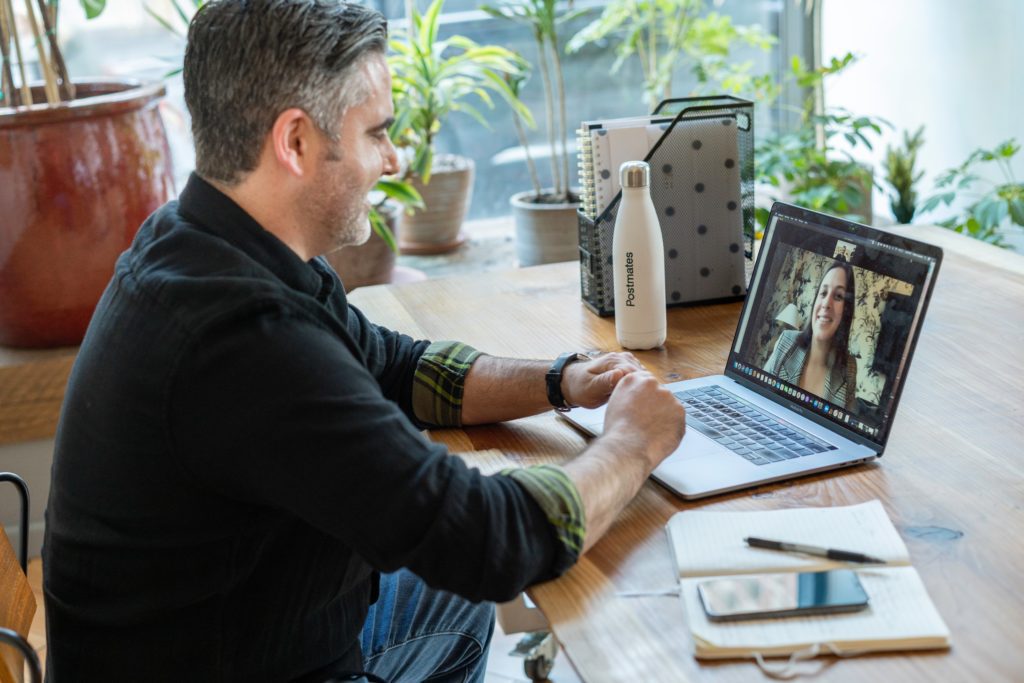
The team’s visualization tool of choice also made a big difference to virtual PI Planning. Agile Coach Steve explained, “LeanKit became essential, enabling us to visualize the whole plan across the entire value stream. Each team had a section to develop their plan during breakouts based on a two-week delivery timeframe. We used colors and cards to quickly visualize the work of each team and connected cards to see dependencies. Boards included links to Zoom breakouts and Slack channels, so from one board, you could get to wherever you needed to go. We used LeanKit before, during, and after the event for everything from readouts to the final confidence vote. It is a powerful tool and a key enabler for pulling off a successful event.”

After the event: Hardening, validation, and continuous improvement

Following the successful conclusion of the four-day virtual PI Planning event, the team focused on validation. “We spent the next week on hardening our plan,” Brook said. “We dedicated time to reviewing and overcommunicating our plans to make sure everyone was on board.” This included readouts in numerous business steering meetings, all the way up to the Board of Directors. The team used its LeanKit boards in those conversations to demonstrate its plans and achieve further alignment.

With their plans validated, the GTM ART went into execution ceremonies and cadences. Immediately after the virtual PI planning event, they hit the ground running with an LPM T-minus calendar. They plan to drive continuous improvement through ongoing communication and collaboration with the business and consistent metrics deep dives that show how they are performing mid-flight, not only at the end of the PI cycle.

Top 5 lessons learned

  1. Prepare thoughtfully and thoroughly. Focus on vision, context, and programs during preparation to create the guardrails that help define plans but resist the urge to go too far into tasks and items before the event.
  2. Create a visual collaboration space. Enterprise-class tooling is critical. Rethink how you can use tools like LeanKit to replace whiteboards and sticky notes and enhance collaboration.
  3. Utilize cross-team breakouts. Every participant in the GTM ART’s virtual PI Planning event found tremendous value in the cross-team breakouts, from tactical benefits to greater empathy for their colleagues.
  4. Engage your executives. An engaged but unobtrusive executive presence demonstrated commitment to the process and the people involved in PI Planning.
  5. Respect your team’s humanness. Virtual PI Planning only worked because its leaders thought hard about the experience. From the four-day structure to frequent breaks to mitigating Zoom fatigue to greater inclusion of global teams, all participants agreed that the event worked well because they were intentional about how it was structured.

“If you’re doing Agile and you’re thinking about doing PI Planning, but you’re hesitant because of the virtual workforce, just do it,” concluded Cameron. “Think about the prep work, visual collaboration, and technology enablers. Have clear outcomes, objectives, and roles. As a business, you can’t wait weeks or months hoping that it will go back to the way it used to be; alignment, shifts, and changes are too important. It may be messy, but there are a lot of things that are better in an all-virtual environment.”

About Emily Peterson

Emily Peterson

Emily Peterson is a demand-gen strategist for Planview’s Lean & Agile Delivery Solution and serves as a part-time RTE for the Go-To-Market Agile Release Train. She uses her professional experience in Agile marketing to leverage new ways of working across the organization, connecting all parts of the business to the overall goals of the organization.

View all posts by Emily Peterson

Share:

Back to: All Blog Posts

Next: Product Owners, Product Managers, and the Feature Factory
Elevate Your Remote Production to Super Awesome – SAFe Training

SAFe® Program Consultants

The world is now full-on remote! That is, as non-essential workers, we’re all currently working from home. At least until the COVID-19 crisis is behind us and some sense of normalcy returns, we are working in front of screens and lenses. This post is for SAFe® Program Consultants (SPCs) who are actively teaching SAFe courses, and for SAFe Release Train Engineers (RTEs) who are facilitating remote Program Increment (PI)

.

As a consultant for Agile Rising (a Scaled Agile partner), I spend a good portion of my time teaching formal courses on Lean-Agile topics and practices.

With the onslaught of the virus, we were all left scrambling to prepare for the inevitability of not just consulting and coaching remotely but teaching too!

We want the very best for our clients and always strive to relentlessly improve every aspect of our performance.

As it turns out, we were reasonably well-prepared pre-crisis, as one of our enterprise clients was 100-percent work from home as a workforce already. In the months leading up to the pandemic, we had already been planning and testing various tools and techniques to convert our traditional physical classrooms into collaborative virtual environments. It’s a tall order, given that technology, while fascinating and progressing at a fast pace, doesn’t provide the robust exuberances of a well-prepared training room.

So, we researched. We learned, tested, and continue to do so. This post is all about providing a current state of what we’ve tried and what’s proven to work well for us. You could undoubtedly find all of this information on your own. For the weary, read on and see how we’re conducting our courses. The configuration that we share in this article is for a basic, low-budget, at-home studio. You can amp this up to the limits of your budget and beyond.

Please note that in a short time, our friends and partners at Scaled Agile, Inc. have done a tremendous job of putting together high-quality remote aids, guidance, and new versions of the various SAFe courses to suit our new reality. In this post, I aim to cover the latent individual instructor enhancements that you may consider to take your training production to the next level. As one of my dearest friends, Luke Hohmann, would say, “Go with Super Awesome.”

Exploring Super Awesome

The first thing we have to discuss is hardware. And software. And process. Sound familiar? What follows is not an in-depth technical article. This non-treatise is all about super-awesome instruction enhancements for regular people. Engineers, prepare to be bored out of your mind.

Replacing body language over the wire is a huge challenge. What we take for granted in the real world, we cannot expect to happen over a Zoom or chat channel. Our students and customers expect the best from us, and as exemplars, we would put in our due diligence to give them the most value.

The first thing that I notice in lots of online courses is that the instructor (and students) do not share their video feeds. As an instructor, this faux pas is particularly egregious as our students learn in part from our body language. We each have our unique style and way of teaching, and our body language, our movements, and expressions lend credence and variety to our instructions. Without it, our students are getting only a portion of what they usually would in a physical classroom.

In my opinion, the best tools available today that many people are using—such as Zoom, WebEx, BlueJeans, and Microsoft Teams—need a better interface to clearly show the instructor along with the materials.

Color and lighting

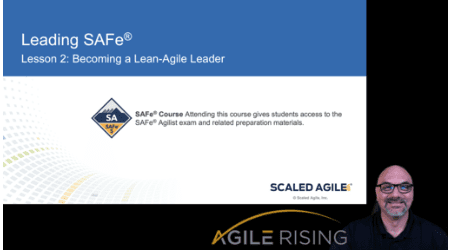
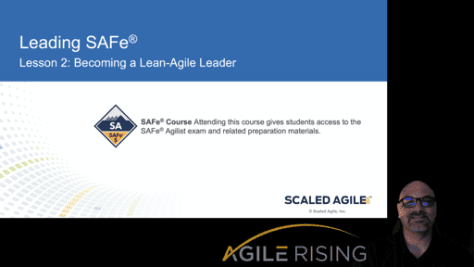
Did you notice anything about the screenshot that appeared earlier in this post? I naturally have a tan complexion (and I don’t spray tan) but I looked pretty dark in it, right? Well, I didn’t turn on the panel lights, only a portion of my lighting setup, to show how adding a little bit of light can make a big difference in your presentation. I’m not a pro or even a regular consumer of photography, but even I can see the difference.

My research led me to some extremes and also reasonable compromises on light choices. I found that you can get away with simple lamps but may wind up having to change bulbs often to suit the specific nature of your at-home studio. I wanted some flexibility, so I purchased these two LED panel lights. These were US$80 each but I can change the color spectrum and brightness—features I wanted for my setup. As a bonus, they come with a great display and simple controls. This capability allows me to adjust the color of the lights to suit my particular skin type. So far, I am super impressed with these lights compared to the other options that I found in the market at the same price range.

Scaled Agile partner

I mounted the two panel lights on the wall flanking my primary camera position. Like when I was two years old, I learned quickly that lights create shadows. So, I used a cheap lamp with an LED bulb (5k or more) as a backdrop light to help reduce shadows on my green screen (more on that in a minute).

Notably, the overhead light on my ceiling fan does me no justice—it merely highlights my male pattern baldness to the point of mediocrity. I cried a little, on the inside, when I first noticed it. Key takeaway: unfiltered light is harmful to your video stream (and your appearance).

So, you should experiment with different lighting and positions of the illumination from at least three angles, preferably no unfiltered light from any direction. Use a sheet of printer paper as a cheap filter if you do not invest in a light that comes with a filter.

Natural light, I have read, is excellent, but you need to be able to create distance between your shot and the light source so that you don’t get beams on your face. I have a window in my home office that I covered with easel paper to filter the direct sunlight coming in from the east in the morning. Trust me; you do not want rays of light on your face. Or in an eyeball. Until the end of the story, at least.

Setting the Scene

Once you get the lighting situation wrestled to submission, it is time to tackle pulling all of your content—PowerPoints, video streams, pictures—together into a meaningful presentation. I chose Open Broadcaster Software (OBS)—it’s open and free—as the programming platform on which to experiment. There are commercial software options that you may find on your own, but OBS has worked for me in live events quite well.

Rather than writing a book here to explain the configuration basics of OBS, I created a quick video. I’m not a pro video editor, so please give me some remedial credits for effort.

The Chroma Key (green screen)

Scaled Agile partner

Many video teleconferencing software tools have a virtual green screen feature that allows you to choose pictures or videos for a background. They work ok but can be distracting because the AI doesn’t always frame you correctly in front of the background. And I haven’t found a way in Zoom or Microsoft Teams to adjust overlays or scale with the basic features.

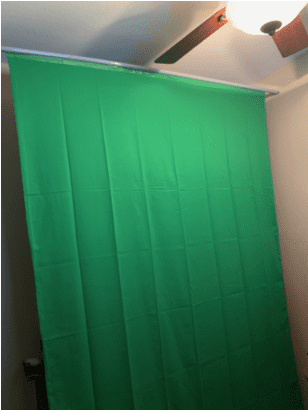
You’ll want to set up a green screen in your studio. Thanks to the COVID-19 pandemic, quality structured green screen products are hard to find. So I had to adapt a solution using a 6×10 foot muslin green screen and some old-fashioned handyman ingenuity.

With just one trip to a home improvement store and my garage, I got the parts I needed to build a retractable screen.

I used 10 feet of electrical conduit wrapped in a three-quarter-inch schedule 40 PVC pipe and taped the muslin on with regular packing tape. The pipe fits over the conduit and makes a functional scroll so that I can roll up the screen when not needed.

Multicamera angles

As an instructor, you may want some options for different scenes. Perhaps you would like to stand up for some of your instruction in front of a marker board or the SAFe Big Picture. In OBS, as we learned earlier, you can configure different scenes to suit your instruction scenario. I have a scene for sitting down and presenting slides. I have a standup scene set up in front of the green screen. Also, I can use my third camera (a GoPro Hero4) for a wide shot in front of the open wall in my office where I can place the Big Picture, Implementation Roadmap, marker board, etc.

Depending on what material and desired instruction format you prefer, you’ll want to choose an appropriate scene based on your preferences. The goal is to replicate physical interface benefits while minimizing the negatives and enhancing the presentation and instruction quality with virtual capabilities.

I chose the ~US$200 Canon R800 because of its ability to zoom optically/digitally for scene adjustments. I can set the camera up on a tripod in different scenes and zoom to frame the shot correctly. If you choose a non-webcam-based device, you will need a capture card like the AV.io HD. This expensive tool may be avoided by only using your built-in webcam along with an aftermarket webcam (or two or three) that connects via a USB interface.

Sounds of home, at work

Kids screaming in the background. The neighbor is cutting the grass. We’ve all been there, or at least I have.

I love my iMac and MacBook Pro, but the built-in microphones quickly lose effectiveness. Now, imagine me speaking while typing, and you also get to listen to the clickety-click of my keyboard. In essence, I’m forcing my students to suffer from ‘keyboard-mic-itis.’

Give the world a break and invest in a decent aftermarket USB microphone. After a fair amount of research, I chose a kit that comes with the boom and all the accessories to get great, configurable sound.

Of course, the tips and suggestions I’ve included in this post are what work for me. To see what others are doing, check out the Remote SAFe Training forum on the SAFe Community Platform.

Happy teaching!

About Marshall Guillory

Marshall Guillory is director, professional services and government practice at Agile rising

Marshall Guillory is director, professional services and government practice at Agile Rising, and a Scaled Agile SPCT Candidate. He has over 25 years of business experience in software development, information technology, product management, and government fields and sectors. For the past 10+ years, he’s focused on leading digital and organizational transformations.

View all posts by Marshall Guillory

Share:

Back to: All Blog Posts

Next: Inspect and Adapt: How a 30-year-old PPM Company Became a Case Study in Agile Transformation

Remote PI Planning at Travelport – SAFe for Business Agility

Safe Business Agility

In this new series, we talk to customers about their field experiences with remote SAFe ceremonies and implementations. In this episode with Hilla Knapke, director of enterprise transformation office, and Charles Fleet, VP of transformation, talk about fully remote, distributed. PI Planning with SAFe.

Click the “Subscribe” button to subscribe to the SAFe Business Agility podcast on Apple Podcasts

Share:

In this new series, we talk to customers about their field experiences working with SAFe ceremonies and implementations. This episode with Hilla Knapke, director, enterprise transformation office, and Charles Fleet, VP of transformation from Travelport dives into remote PI Planning. They’ll share their thoughts and expectations during preparation, what changed when the event started, what worked and what they’d improve the next time.

Visit these links to learn more about the article and video referenced in the podcast:

Hosted by: Melissa Reeve

Melissa Reeve is the Vice President of Marketing at Scaled Agile

Melissa Reeve is the Vice President of Marketing at Scaled Agile, Inc. In this role, Melissa guides the marketing team, helping people better understand Scaled Agile, the Scaled Agile Framework (SAFe) and its mission.

Guest: Hilla Knapke

Hilla Knapke

Hilla Knapke is director, enterprise transformation at Travelport. She executes strategic portfolios while driving business agility into all aspects of business operation through Travelport’s Corporate Development Office. Hilla excels at leading large-scale, technically complex, high-value, strategic global initiatives, unlocking true business agility within organizations. In her personal time, Hilla is a classically trained musician and an avid soccer fan (raising her own favorite goalkeeper); she enjoys hiking, camping and 4x4ing with her husband and children in the beautiful Colorado mountains.

Guest: Charles Fleet

Charles Fleet

Charles Fleet, VP of transformation at Travelport, has more than 15 years of experience leading strategic, global change initiatives. He excels at creating cohesion in disparate teams, overseeing global delivery relationships, and bolstering innovation in program management. Charles lives in Colorado with his wife and two boys, and enjoys running as well as endlessly tinkering on projects around the house.

Remote PIs, ARTs, and Teams – Agility in Business

Safe Business Agility

In this deep-dive episode of the SAFe Business Agility podcast, Melissa Reeve, SPC and Inbar Oren, SAFe® Fellow and principal contributor to the Scaled Agile Framework®, explore what it takes to run dispersed and remote PIs, ARTs, and teams.

Click the “Subscribe” button to subscribe to the SAFe Business Agility podcast on Apple Podcasts

Share:

Hosted by: Melissa Reeve

Melissa Reeve is the Vice President of Marketing at Scaled Agile

Melissa Reeve is the Vice President of Marketing at Scaled Agile, Inc. In this role, Melissa guides the marketing team, helping people better understand Scaled Agile, the Scaled Agile Framework (SAFe) and its mission.

Hosted by: Inbar Oren

Inbar Oren a SAFe Fellow and a principal contributor to the Scaled Agile Framework.

Inbar Oren a SAFe Fellow and a principal contributor to the Scaled Agile Framework. He has more than 20 years of experience in the high-tech market, working in small and large enterprises, as well as a range of roles from development and architecture to executive positions. For over a decade, Inbar has been helping development organizations—in both software and integrated systems—improve results by adopting Lean-Agile best practices. Previous clients include Cisco, Woolworths, Amdocs, Intel, and NCR.

Working as a Scaled Agile instructor and consultant, Inbar’s current focus is on working with leaders at the Program, Value Stream, and Portfolio levels to help them bring the most out of their organizations, build new processes and culture.

A martial arts aficionado, Inbar holds black belts in several arts. He also thinks and lives the idea of “scale,” raising five kids—including two sets of twins—with his beautiful wife, Ranit.

We Did It! Our Very First, Fully Remote, Distributed PI Planning – Agility Planning

As COVID-19 quickly spread worldwide, lots of organizations, including ours, realized that our next PI Planning would have to be entirely remote and distributed. We’d done distributed PI Planning before, where some employees joined on their laptops from global locations, but never one where everyone was remote and in their homes. So, just how were we going to pull this off?

Watch the video for a high-level look at what we did and keep reading the post for a bit more detail.

Planning the Event

For starters, we knew we had to answer lots of questions around locations, agenda, facilitation, tools, and working agreements. So, we started laying the foundation of our event by following the guidance in the advanced topic article from our Framework teamDistributed PI Planning with SAFe, and built our plan from there.

Agenda

I collaborated with our scrum masters and leaders to flesh out what this event would look like, and we knew that a two-day agenda wasn’t going to work. Not just because it’s hard to stay focused and engaged for two full days over video calls, but because we have people in China, England, Germany, India, Japan, Mexico, Singapore, and across the U.S.

If you were to research the words “learning network” via books or an online search, you might come up empty. There isn’t much out there on the topic. In fact, I was excited one day to see “learning network” listed in the index of one of my learning books. But it pointed me toward networks in general, which wasn’t helpful. Not long after that I was telling a colleague about one of my informal learning collaborations and I called it a learning network. It just seemed like the right way to describe it.

We had to accommodate all the different time zones to make sure people weren’t working in the middle of the night (more about that later). So, I set up a recurring weekly meeting with our scrum masters to craft a detailed event schedule. We landed on a three-day agenda that had some people starting early in the morning and others joining toward the evening (and later at night) for a shorter amount of time.

Distributed PI Agenda

Facilitation

Distributed PI Facilitation

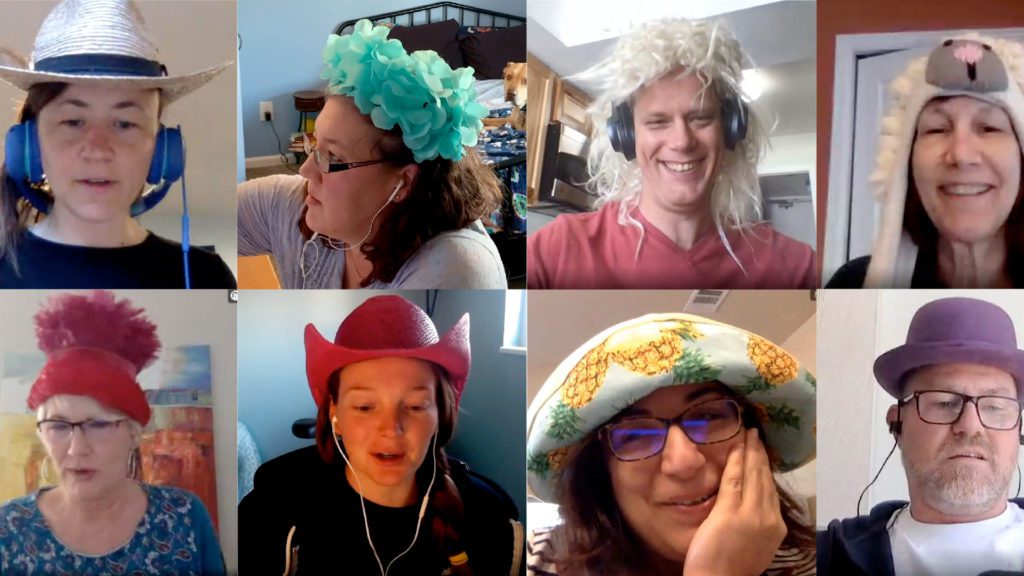
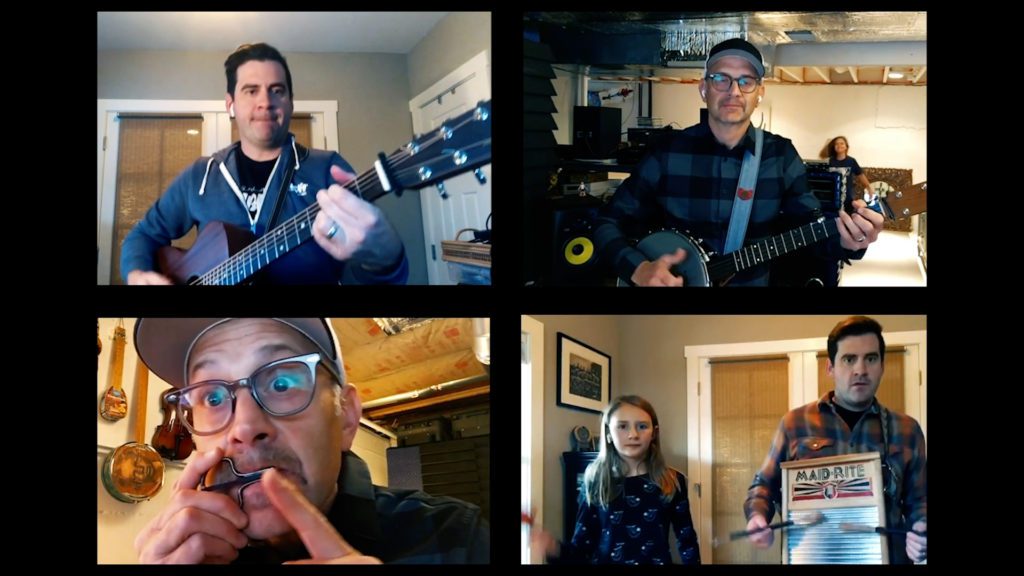
We knew that to engage people remotely over three days, we’d need to get creative. So we came up with icebreakers featuring our talented employee musicians, a crazy hat theme, social video meetups to see people’s pets, a guided meditation session, and random quizzes to keep things light and fun.

In the spirit of relentless improvement, we sent out daily surveys to capture everyone’s feedback about what was going well and what wasn’t, and incorporated that into the next day’s activities.

Tools

The scrum masters and I worked with our information and technology team to figure out how to best use the tools we had to run the event. We set up a central location on our intranet and used our internal collaboration tool to create a main information hub and virtual rooms for each team, the program board, presentations, and the Scrum of Scrum meetings. We use the Google suite at Scaled Agile, so team breakouts happened via Google hangouts, and each team also had a dedicated channel in Slack that other teams could use to discuss joint projects and dependencies, and ask questions.

Hiccups and Takeaways

Overall our event went pretty smoothly, but we did run into some issues. When we set up the team spaces in our collaboration tool, we didn’t realize they were limited to just the individual team members. This meant people on other teams couldn’t access those spaces to interact with the teams they needed to. We managed to fix that issue on day one but it was pretty chaotic and time-consuming. 

Another thing we discovered is that it took a while for all of us to get used to communicating with each other both in the main space and in our individual team rooms. There was one hangout link to the main PI Planning room and different hangout links for each team to use during their breakout sessions. On day one, some people got lost in the transition, but by day two, all of us were seasoned pros. 

We’ve definitely got a list improvements we plan to make for our next PI Planning, including:

  • Being more intentional about team synchronization points so the teams come together more regularly throughout each day.
  • Adjusting the agenda to four days versus three to shorten the hours per day and better accommodate our international folks (at least one of them was online until 2 AM—sorry, Gerald).
  • Allowing more time for team breakouts, just because collaborating remotely takes longer.

To get even more details about how we executed our first fully remote, distributed PI Planning, I invite you to watch our Fireside Chat webinar on our Community Platform (login required). 

For more guidance around running remote PIs, ARTs and teams, listen to episode 27 of our SAFe Business Agility Podcast, which takes a deep dive into the topic.

About Jeremy Rice

Release Train Engineer at Scaled Agile

As the Release Train Engineer at Scaled Agile, Jeremy is a leader with a desire to help others achieve their greatest success. A U.S. military veteran, Jeremy has a diverse background in technology, engineering, and coaching, mixed with a bit of linguistics and work as a chaplain.
You can also find him occasionally posing with baby goats, cows, and pigs on his hobby farm.

View all posts by Jeremy Rice

Share:

Back to: All Blog Posts

Next: From Boots to SAFe: A Veteran’s Career Move

Your Burning Questions: PI Planning at an Agile Organization

At the end of the regular episodes in our biweekly SAFe® Business Agility podcast, we answer questions submitted by listeners. In this post, we feature two on the topic of PI Planning, one of which is especially relevant for anyone working at an Agile organization that has restricted travel to limit exposure to the coronavirus.

What’s the best way to conduct PI planning with remote employees?

PI Planning

For many companies with a remote workforce, especially those with a global presence, conducting PI planning can be a challenge. While face to face is always best, it’s not always possible or financially feasible. There are some things you can do if you’re faced with this dilemma.

First, whenever you have remote team members, whether it’s during PI planning or other work-related activities, it’s important to pick times that work for everyone. This means finding meeting times where overlap may exist between work hours for local team members and work hours for remote team members. It can be difficult, but it’s possible.

When work hours don’t overlap, consider times that are a compromise for everyone. That often means some members will end up working late while others will begin their day earlier than their usual start time. Try to keep the compromise to less than four hours either way. Anything more and team members may not be at their best.

That said, one thing that you shouldn’t compromise on is trying to keep whole teams together. For example, don’t have the scrum master in one location and the product owner in another. Keep them all participating together if possible.

Next, let’s discuss how to accommodate remote team members during the PI planning event. While Scaled Agile is a tool-agnostic company, we do have some Gold partners that offer some very helpful tools. One of them, piplanning.io, has a great tool that runs on multiple different platforms that people can use to share information around PI planning. 

Also, think about how to address other logistical challenges, like how to keep remote team members engaged when the room is noisy or during a breakout session. We’ve found that it’s helpful to assign a room buddy to a remote team member. The room buddy is responsible for making sure that the remote team member has everything they need to be an active participant in the session.

It’s important to remember that preparation will take longer with remote PI planning. There’s a lot to consider and you may have to make some tradeoffs. However you end up solving this challenge, make sure to always be respectful of your team members—it’s one of the core pillars of Lean.

Fast forward more than three years and a move to another company, I’m still part of a number of informal learning networks with many of my colleagues from that organization. Every time we learn something new that we feel would be beneficial to the others in the network, we share it. And we learn more every time we share in these moments.   

In this video,  the teams at Travelport share how they successfully coordinated PI Planning across three different time zones, and the benefits that they realized.

For even more details read this advanced topic – tips on distributed PI Planning.

Why is it important to assign business value during PI Planning and how is it helpful to the business?

One of SAFe’s core values is alignment. . Another is transparency, which is critical in an organization’s execution phase. PI Planning and assigning business value is an important component of that. Assigning business value isn’t necessarily about prioritizing things, changing your directions, or shifting responsibility. It’s simply the business owners telling you what they feel is most important, and aligning around that. The business owners may not understand all of the technical nuances that go into building a product but that’s OK. But they do understand why teams are building the product and why their customers want it. The ability to communicate that to the teams that are doing the development work—whether hardware, software, cyber-physical systems, or a business solution—is paramount.

Assigning business value is symbiotic. And Agile is about bridging the silos between the business and IT. When you have those silos, oftentimes the business floods IT with requests. Getting the business owners to assign that business value is that hard prioritization work, and something IT teams can use to ask, “Do we understand your priorities, are we doing things in the right order, and is this of the highest value to our customer?”

Predictability is another important element and there’s a tool in our PI Planning toolkit called the PI predictability measurement that uses the assignment of business value to measure the predictability. That helps you answer the critical question, “Did we do the things that we said we would?” This is a critical part of why companies use SAFe if they want to improve their predictability.

PI Planning

If you haven’t heard the SAFe Business Agility podcast before or want to listen to new and previous episodes, check it out.

If you’ve got a question for us to answer on air, please send it to podcast@scaledagile.com.

Happy listening!

About Melissa Reeve

Melissa Reeve is the Vice President of Marketing at Scaled Agile

Melissa Reeve is the Vice President of Marketing at Scaled Agile, Inc. In this role, she guides the marketing team, helping people better understand Scaled Agile, the Scaled Agile Framework (SAFe) and its mission. Melissa received her bachelor of arts degree, magna cum laude, from Washington University in St. Louis. She currently resides in Boulder, Colorado with her husband, chickens and dogs.

View all posts by Melissa Reeve

Share:

Back to: All Blog Posts

Next: 5 Reasons to Attend the European SAFe Summit

Have Fun During PI Planning – Practicing SAFe

PI planning,  a vital component of SAFe® is integral to the Agile process, and the meeting can be an intense experience. Sitting in one big room for two full days, with potentially over 100 team members across the organization, can be taxing. Once the breakout sessions begin, the environment can become stressful for some.

The importance and complexity of the work to be done and the pressure of time can make these sessions challenging. Adding to the stress, there are often many conversations going on at the same time, causing the volume in the room to grow increasingly louder until people are yelling just to talk. All of this adds up to people feeling overstimulated and overwhelmed, causing them to grow weary and disengage. With the high cost and critical nature of these sessions, it’s imperative that organizations keep team members engaged and productive.

Because the stakes are so high, you want to use all the best practices available to you in order to maximize valuable time. Our experience has taught us that making your PI planning events fun can turn the stress of a two-day planning event into excitement about what’s ahead. Setting up a lively environment primes your audience for engagement and creativity.

First, we start all of our PI planning sessions with 10 minutes of gratitude. We take the time to encourage planning members to acknowledge and appreciate other team members. Using a mic runner, we have an open mic and find that once the praise gets started, our 10 minutes goes pretty fast, leaving everyone smiling, primed for positivity and ready to get down to business.

PI Planning

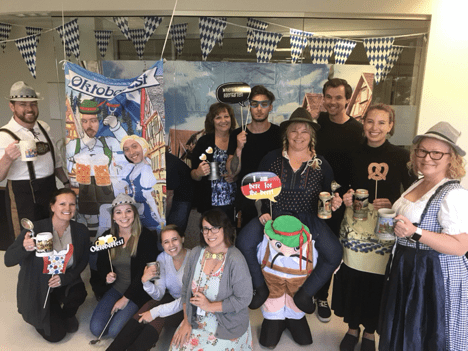
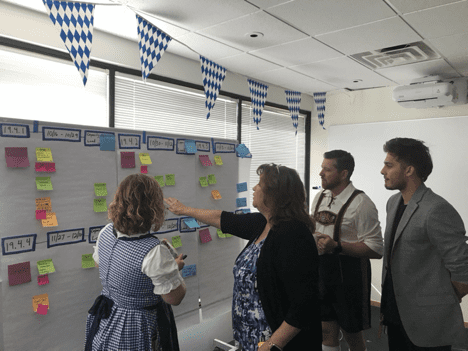
Next, we use a chosen theme and incorporate it into slides, written materials, props in the room, snacks, and even stickers, toys, games, and prizes. If you need ideas for your own theme, do some online research for themed parties. Recently, we used an Oktoberfest theme where team members dressed up in traditional costumes, like lederhosen and dirndls. We passed out beer steins (without beer of course) for drinking, and had snacks including pretzels and mustard (be sure to offer gluten-free snacks too). We put up Oktoberfest flags, props, and background scenes—we even had an Oktoberfest backdrop and created a photo booth that the teams enjoyed using.

I’ve learned through trial and error that themes need to be relevant to the times, relatable to the audience, and provide an environment that people want to experience and be a part of.

For example, it’s not enough to say that your theme is “baseball” without also providing the environment to give people an opportunity to interact with the theme. This includes setting expectations in advance, especially if you are asking people to take risks like wearing costumes or using props in front of their coworkers.

It helps with engag

It helps with engagement if the PI planning event organizers and release train engineers (RTE) serve as models, participating in the theme as a way of making it safe for others. Our RTE wore lederhosen and our CEO and founder wore Bavarian hats during the vision statement portion of PI planning.

PI Planning

Another idea is to include games or gamify aspects of PI Planning. Word Bingo is a fun way to keep people engaged over the two long days. Hand out cards with some common and not-so-common words that are likely to be said (or intentionally said) throughout the planning. You could have a single winner, but even better, everyone can get a prize once their card is complete. Prizes should be simple but fun, like themed socks or small desk toys. Treasure hunts and scavenger hunts are other fun ways to get people working together. Give each team member a list of things to find or do, like visit another team to find program risks and dependencies and determine whether or not they impact the plan being created. This gets teams talking to each other, improving relationships, and finding common goals.

Since we started bringing fun into our PI planning processes, I’ve heard more laughter, I’ve felt the positive energy in the room increase, and I’ve seen teams improve how they work together. People seem more energized and less drained by the end of the event. Contrary to what you might think, incorporating fun doesn’t take up more time and make the sessions last longer. In fact, the sessions are more inclusive, engaging, and productive, with better outcomes and fewer surprises down the road. I encourage you to give it a try.

About Deb Choate

Deb Choate is a scrum master at Scaled Agile

Deb Choate is a scrum master at Scaled Agile with loads of experience leading and supporting successful SAFe transformations, technical teams, and projects. She’s passionate about applying her background in psychology and neuroscience to create high-performing Agile teams, environments, and cultures.

View all posts by Deb Choate

Share:

Back to: All Blog Posts

Next: A Framework, Not a Prescription